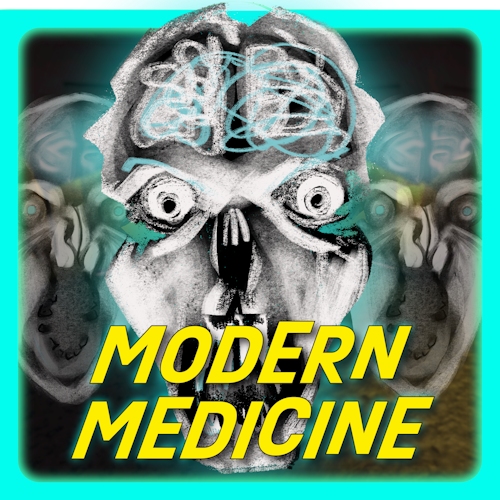

MODERN MEDICINE is a procedurally generated cross platform multiplayer horror adventure with a branching storyline that was released on Roblox in 2024. It has reached over 980,000 play sessions and over 400,000 unique players.
As the sole programmer and founder of the development team, I was responsible for designing and implementing all technical systems including procedural generation, AI and player systems, in-game purchase systems, backend infrastructure, and seamless multiplayer functionality just to name a few. My research skills also played a key role in this process, as I discovered and used key open source libraries that streamlined development and workflows. In collaboration with the team’s level designer and artist, I helped shape a game that offers players a uniquely immersive and replayable experience.
During the two-year development cycle, I led our remote team of three through weekly meetings to align on goals, refine designs, and ensure steady progress. This flagship project honed my expertise in Luau, the Roblox API, and efficient team management while showcasing my ability to deliver a polished, innovative game through fostering a friendly, creative, and collaborative environment.
Trailer
At a Glance:
Gameplay Loop
MODERN MEDICINE takes place in an abandoned hospital overrun by Dr. Thompson’s failed experiments. The game begins with an active medical emergency in the ICU, where players must stabilize a patient under pressure. However, the power suddenly shuts off, forcing players to make a critical choice: restore power in the Maintenance room to allow the nurses to continue giving life saving care or retrieve key research notes from Dr. Thompson’s office.
From there, players navigate through procedurally generated hallways, searching for essential items needed at their destination while avoiding the wandering monsters. Upon collecting the items and reaching their destination, players are faced with a unique puzzle that they must solve before they can achieve their mission. Upon completion, players are given another choice for their next mission and face an intense chase sequence in the hallways to get there.
Once the puzzle in the second cycle is completed, the hallways and world regenerate seamlessly in the background. Upon leaving the room the player finds themselves in the experimentation wing, where they must tackle escalating challenges while navigating through the hospital’s dark secrets. The game culminates in a terrifying sequence where the player must sprint through the hallways to the Experimentation laboratory, pursued by hordes of almost every monster encountered throughout the game.
AI
There are many unique AI agents in MODERN MEDICINE. The below section is a summary of what they are and what they do. The section after that describes core systems and gives implementation examples.
MONSTERS
LARRY
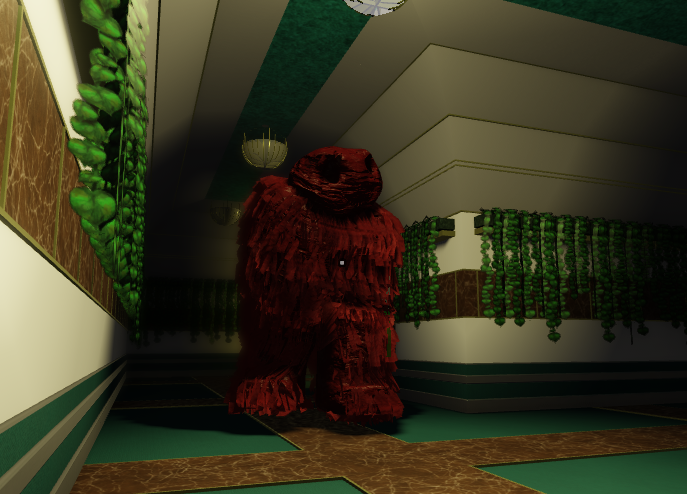
Larry is the flagship monster - an experiment on the hospital’s janitor gone wrong. He intercepts players in the halls every time the lobby completes a major milestone of the quest line, and if a player gets too close they are dealt an extreme amount of damage. To add to the challenge, each additional time he spawns he is given increased speed. He utilizes the player region module to locate his target and the A* module combined with the level node graph to pathfind to his target.
Larry’s design consists of several key points:
- Each step Larry takes sends the booming sound of his weight reverberating through the hallways. This is the first warning sign to the player that he is near.
- The closer Larry is to the player, the more his footsteps shake the player’s screen.
- Larry emits a terrifying noise which gets louder as he nears a player.
- With each footstep, Larry spawns a ring of fire around his body, adding to the spectacle while also denoting his attack range to the player.
JOHNNY
Johnny is a radiation monster spawned from additional inhumane experiments conducted in the hospital. He resides in the medicine floor, randomly navigating from one end of the hallways to another. When the player is close, Johnny emits a geiger counter noise as well as immense screen shake. As he flys through the halls he opens doors to the patient rooms on either side of him, making the experience of players hiding in these rooms that much more immersive.
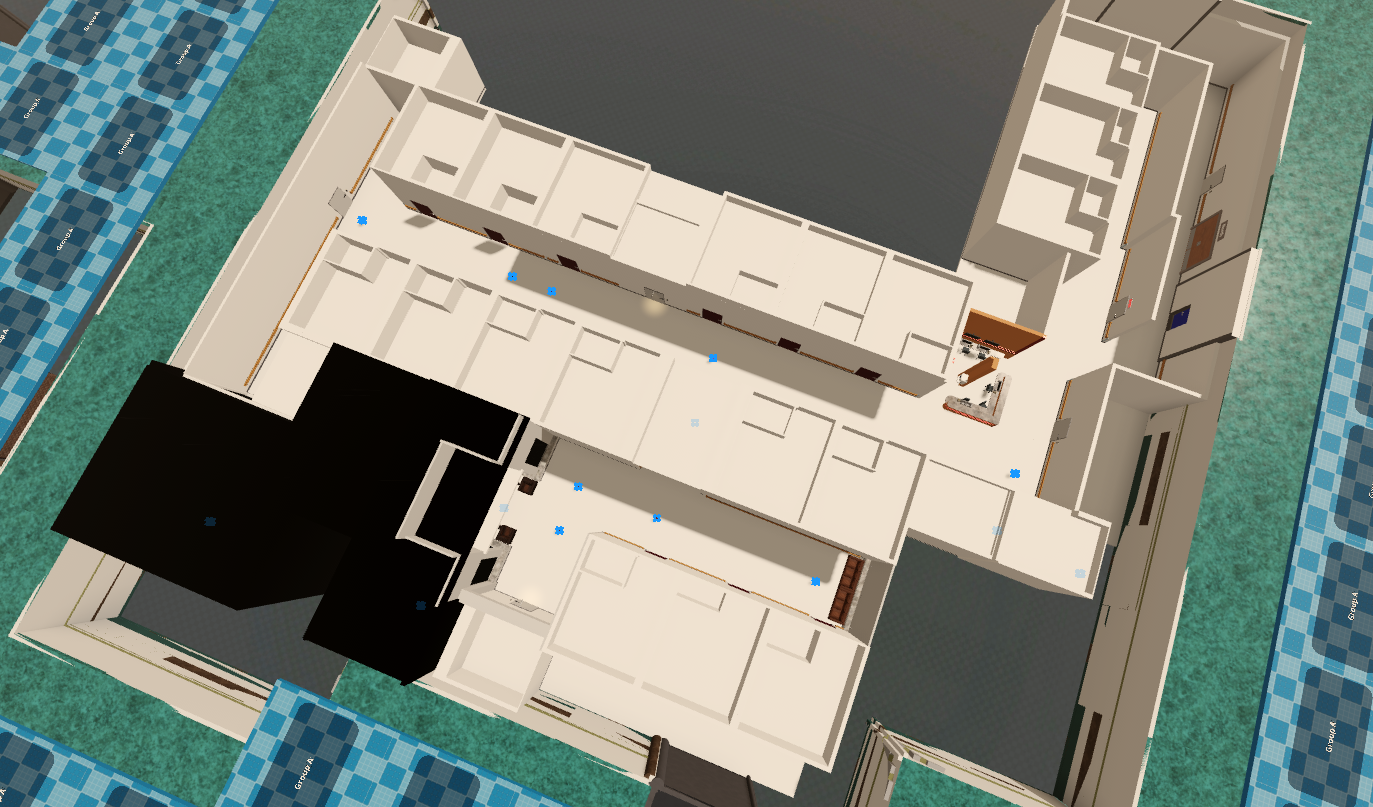
https://willaltman.tech//images/mm/gifs/johnny.gif does not existBecause the layout of the medicine floor is generated using prefabricated assets and he does not chase players, there is no need to use A* pathing for his navigation. Instead, a series of nodes are placed in each sub-layout that define a path from an out-of-bounds part of the hallway to the main, unchanging “L” hallway. For each monster cycle, a random out of bounds start point is chosen, the monster follows that point’s path to the main hallway, then it randomly chooses another path to an out of bounds region.
DR. THOMPSON
Dr. Thompson is the main villain of the hospital. The player only encounters his projected forms in the Operating Room, where he is seen standing frozen over the player’s character immobilized on an operating table. If the player looks at him for too long, his head will suddenly animate and stare at the player. As soon as line of sight is broken between the player and Dr. T., the player is transported onto the operating table for a POV experience of the doctor operating on them.
https://willaltman.tech//images/mm/gifs/dr-t.gif does not existFor best responsiveness, Dr. Thompson’s vision system is client sided. There are 3 checks that must pass for a player to be attacked by the monster:
- The player must be within the proper distance
- The monster must exist within the player’s viewport
- A raycast from the monster’s head must hit the player. Note: collision groups are used to allow for raycasts through transparent objects in this scenario.
If every check passes, then the player is looking at Dr. Thompson. After a short but random amount of time, Dr. Thompson will activate, staring down the player. Once line of sight is broken, he attacks.
ROACHES
Roaches wander the hallways. When hungry, roaches will fly onto the player’s face and will attack until they are swatted away.
https://willaltman.tech//images/mm/gifs/roach.gif does not existWANDERING FACES
Wandering Faces are monsters that slowly float along the hallways. Whether they try to navigate to a player or wander randomly is left to chance. When the player looks at a wandering face, they start to get a tunnel vision effect. If the stare for too long, the wandering face will draw the player into it, dealing damage.
To make the hallways feel dense and to save on resources, there are only ever a small number of wandering faces in the world at any given time. Once a face is far enough away from all players, it respawns in a location closer to the action.
https://willaltman.tech//images/mm/gifs/wandering-face.gif does not existHUNTER
The hunter is a monster that was added to solve a critical issue we came across while playtesting: players in random lobbies don’t stick together. We developed the core quest system under the assumption that as soon as one player finds the room they need to go to, all the players would be able to easily and quickly join them. This held true for private playtests with friends and family, but as soon as we tested with random people who didn’t know each we quickly discovered this would not always be the case. Thus the hunter was created to deal with stragglers and keep the game progressing smoothly.
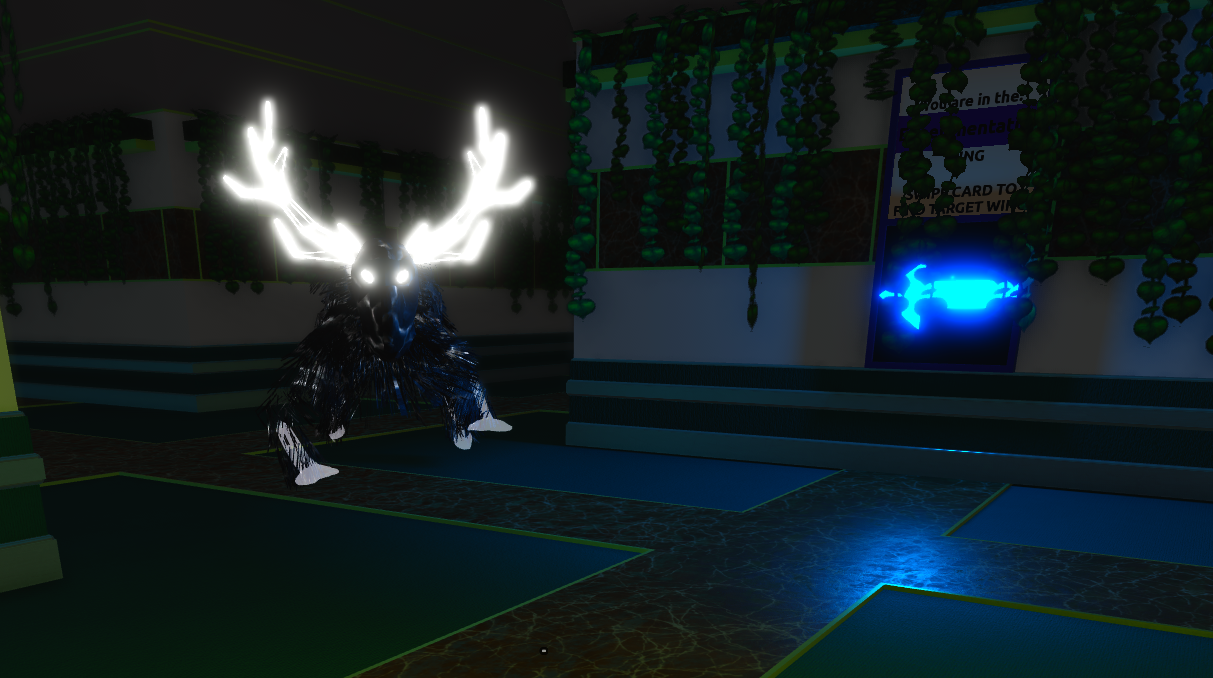
Hunters spawning in is signified by every direction panel illuminating simultaneously. Each player is hunted by a unique hunter which is only visible to them (but still controlled by the server). The hunter will follow and observe the player at a distance. After the player has remained in its line of sight for long enough, its body will turn neon orange - signifying that it is preparing to attack. When it does attack, it deals a moderate amount of damage and teleports the player to the destination room for the current quest. The player can delay the hunter’s attack by breaking line of sight or hopping into various rooms along the way. If they player stays in a room for too long, however, a warning effect will play and after some time the hunter will still attack.
UNSEEN ONES (ANGELS)
Unseen Ones are the final monster encountered in the game and my personal favorite. They are heavily inspired by the Weeping Angels from Dr. Who. During the game’s finale, the hallways completely regenerate and feature only one biome: the experimentation wing. This is where the unseen ones are found. These monsters silently stalk the player and move incredibly quickly when out of sight. However, when the player has any of the monsters within their line of sight, they feeze mid animation and appear as a statue.
On their own they are not that challenging to get past if you are aware of them, but the true difficulty comes closer to the end of the game. As the player progresses through the experimentation challenges, more and more monsters spawn in the hallways, including the Wandering Faces. This creates a unique synergy because the Wandering Faces will attack if you look at them for too long, and the Unseen Ones will attack if you look away. So when the hallways have both, it creates a stressful and fun challenge.
https://willaltman.tech//images/mm/gifs/weeping-angel.gif does not existUnseen Ones’ movement logic works by checking two primary things:
- Is there a valid raycast between the player and the monster
- Is the player looking at the monster
To simplify communication, these movement checks are performed on the server. Checking the raycast simply checks if there are any objects between the player and the monster. Other agents do not count as valid objects for this raycast and are filtered out. Checking if the player is looking at the monster takes the vector between the agent and the player, then performs the dot product to get the angle between that vector and the player’s look vector
local dVec = agentHead.Position - viewerHead.Position

--Positive means the angle between the two vectors is less than abs(90). 0 is a right angle, negative is not visible
local inFov = dVec:Dot(viewerHead.CFrame.LookVector) > 0
SYSTEMS
AI agents all share several core systems. Monsters that navigate the hallways reuse the A* module found in other parts of the code. Other monsters that spawn inside rooms utilize a more simplistic node based navigation system. All 3D monsters utilize the same animation module, which allows both the client and the server to control an agent’s animations.
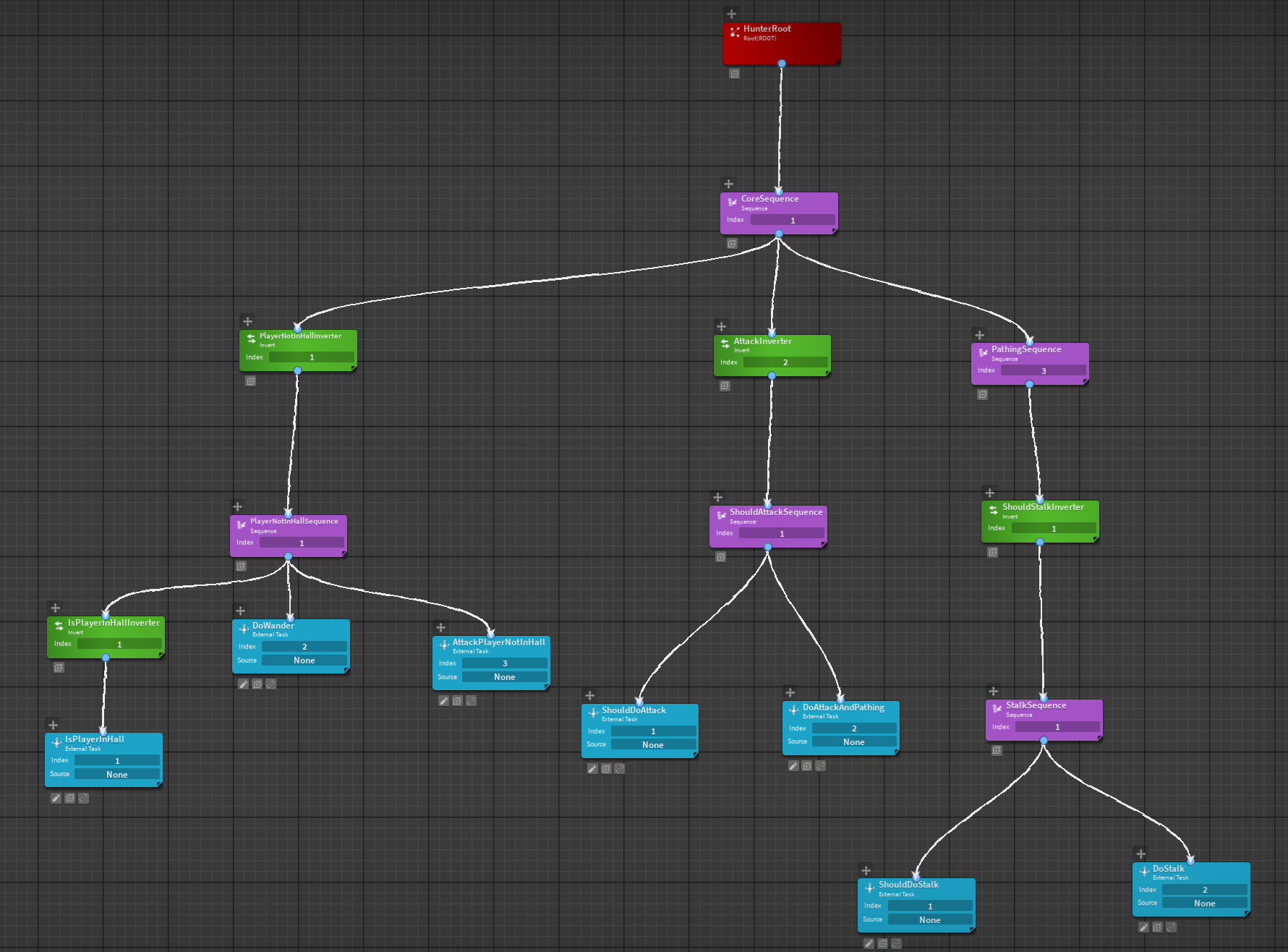
For more complicated agents, behavior trees are necessary to map out their logic. I utilize the BTreesV5 plugin to streamline my implementation.
Procedural Generation
MODERN MEDICINE is a game that was partially inspired by LSPLASH’s Doors on Roblox. Doors procedurally generates its world by linking prefabricated rooms together linearly - the (single) exit of any given room is connected to the (single) entrance of the next. MODERN MEDICINE expands and innovates on this idea. Instead of each room in the world being generated one after another, rooms are linked to each other by a series of randomly sprawling hallways.
1. Representing the world
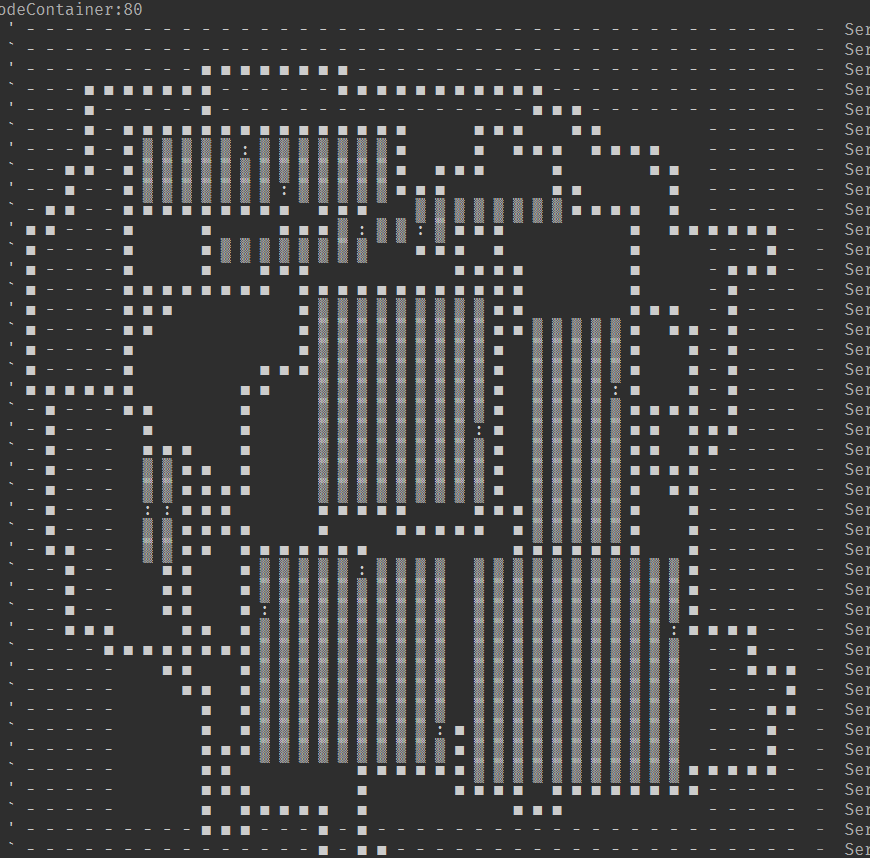
One thing that hasn’t changed much since its initial prototype is how the world is abstractly represented in code. The level is stored in an n x m array of nodes, with each node containing information about what exists in that location (e.g. is this a room, hallway, doorway, what biome is this, etc…). Nodes also store a reference to their neighbors, creating a graph. Being able to look up nodes in both an array or explore nodes as a graph provides important flexibility in how the game interacts with the world since many corners of the code base use this core system.
2. The hallways must be interesting to walk through
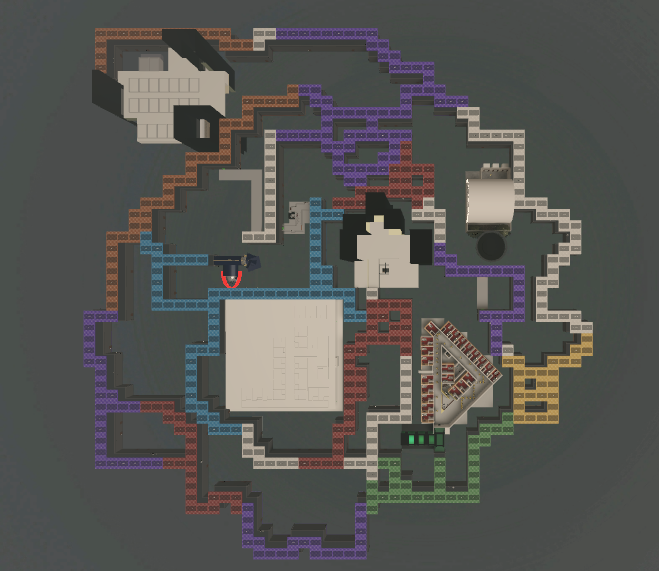
The first prototype for hallway generation was simple: place the rooms randomly on a grid, then use A* to connect each doorway node to every other doorway node, prioritizing previously placed hallways. Then, randomly select several hallway nodes and expand them to create unique biomes.
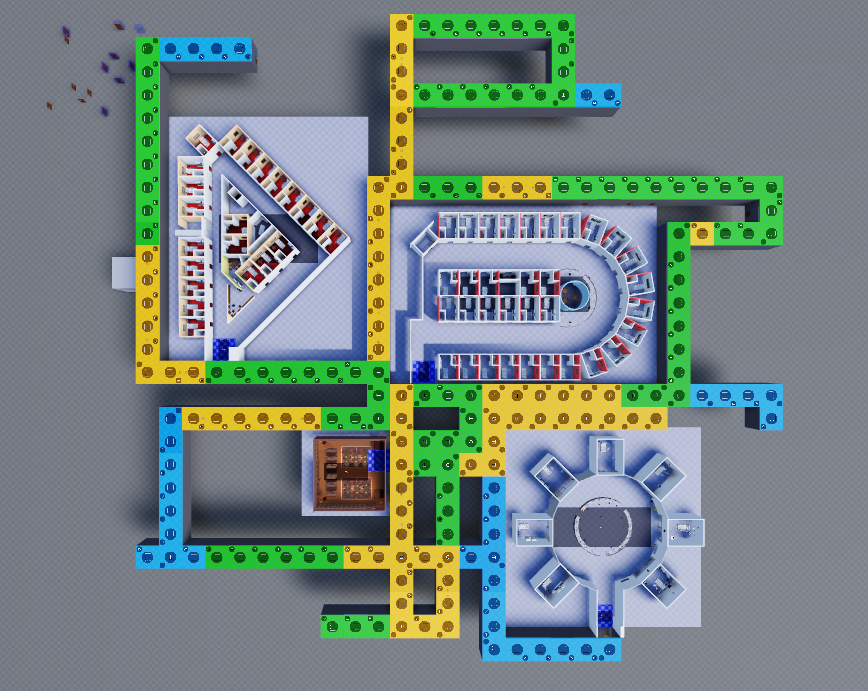
While this prototype did achieve our goal procedural generation goals, it had one major issue revealed by early playtests: walking for minutes on end through a straight hallway isn’t fun. So it was back to the drawing board. The level generation system had to be snakey and interesting while also not being overly frustrating or confusing to navigate like a maze would be.
The first solution was to utilize node weights in the A* algorithm for more than just prioritizing previously generated hallways. What if every node had a random weight value? This was better, but the sheer randomness was obvious when playing. The hallways had to seem at least somewhat realistic and a straight maze was not an option I wanted to entertain. Stumped, I looked towards other games that used procedural generation for inspiration and eventually looked towards Minecraft. Minecraft utilizes perlin noise to create “natural” looking curves and features in its terrain generation. What if I generated the node weights for the hallways using perlin noise? I had just implemented a technique I would later learn is called Perlin Worm Tunneling.
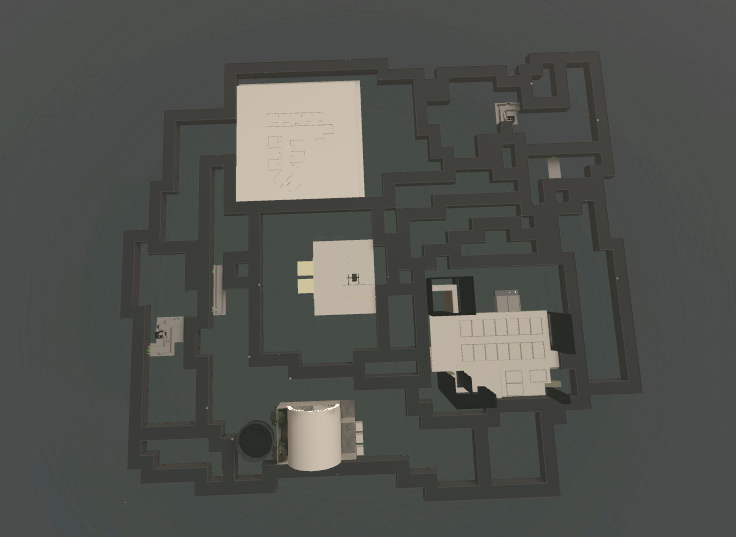
3. Biomes
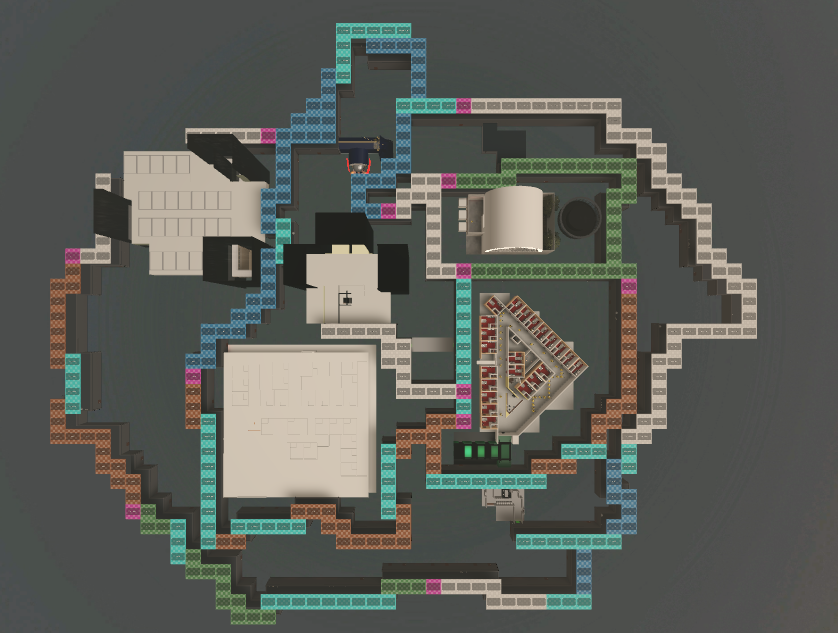
My next goal was to implement a more interesting biome system with the goal of having fewer, larger biomes. To do this, I simply recycled the idea of using perlin noise. Once the initial map and hallways are generated, I create a new perlin noise map for the nodes. Then, I select a node at random to be an anchor point for a random biome. I generate another set of values, each +/- n from the anchor point’s noise value. Then, manifest destiny style, I add the surrounding nodes to this anchor point’s biome grouping provided that the surrounding nodes have not been added to a different biome already and are within the +/- n range generated earlier. This process is repeated DFS style with all of the captured nodes until there are no more neighbors within the range. Then, a different random (unclaimed) node is chosen to be a new anchor and the process repeats. This continues until a predetermined percentage of all the nodes are captured, with the remaining nodes being classified as the default biome.
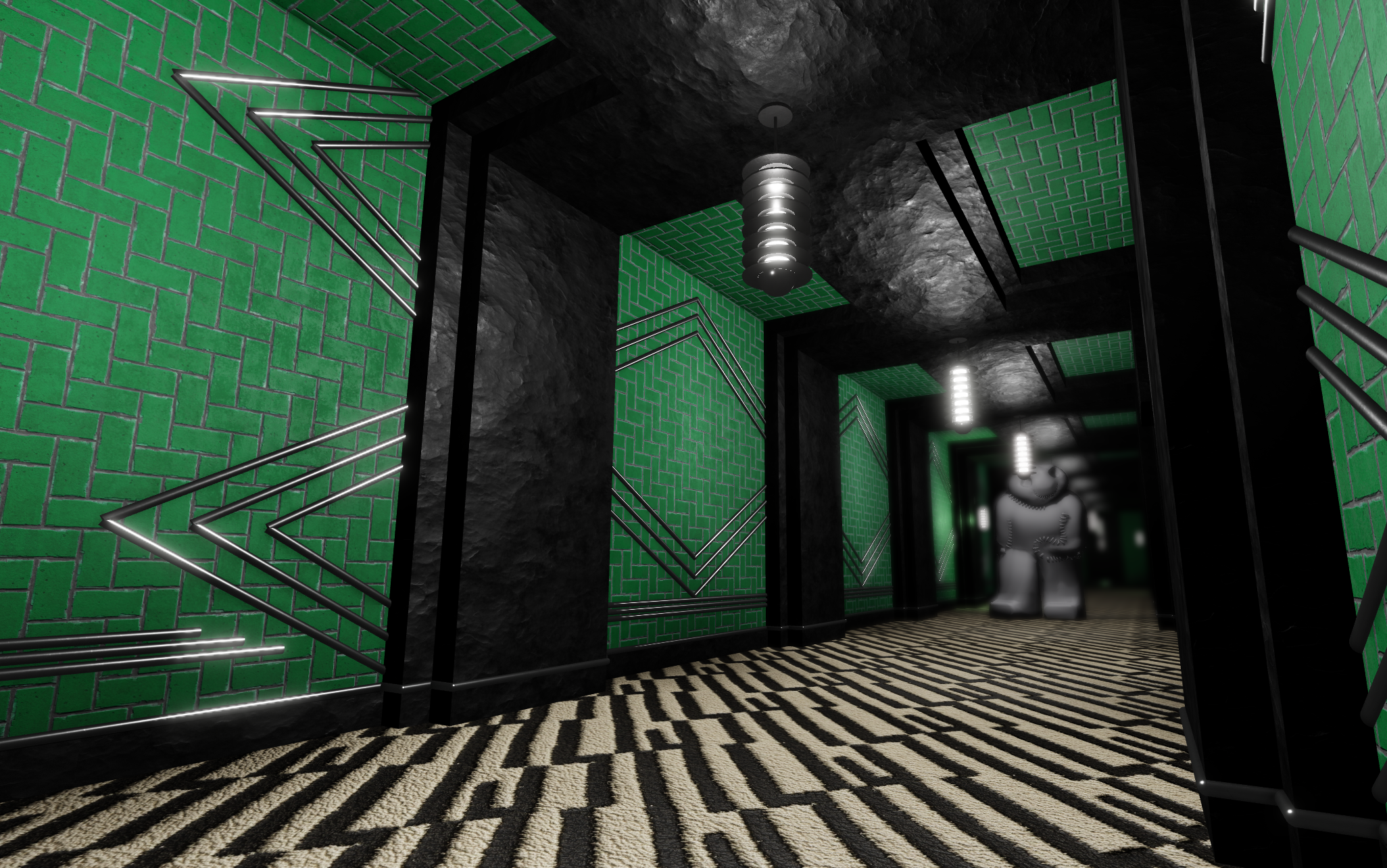
To add additional flair to the hallways, “straightaway” portions are detected and generate with unique designs.
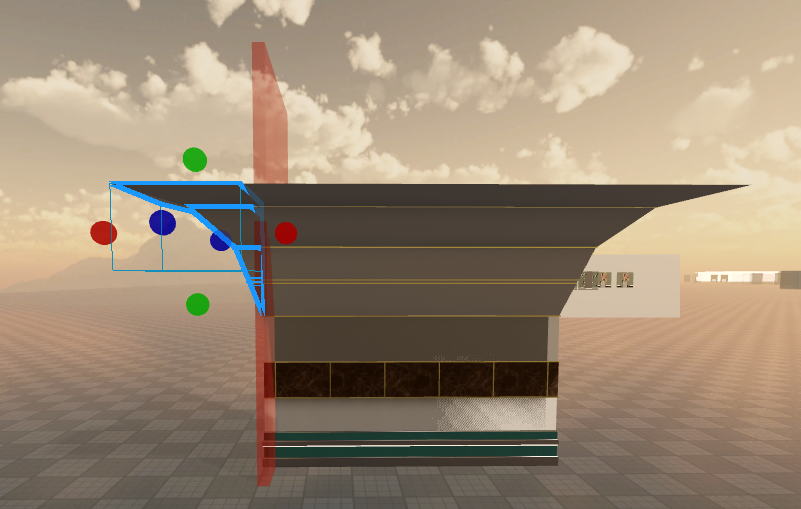
Some biomes may have unique features that require their assets to be larger than the size of one node. In the medfloor biome, the ceiling is curved like a train tunnel. For tight angles, additional assets beyond the bounds of a single node are needed. All walls are generated with these additional assets, and those which exist outside of a hallway node are deleted at runtime to prevent clipping issues.
4. Rooms
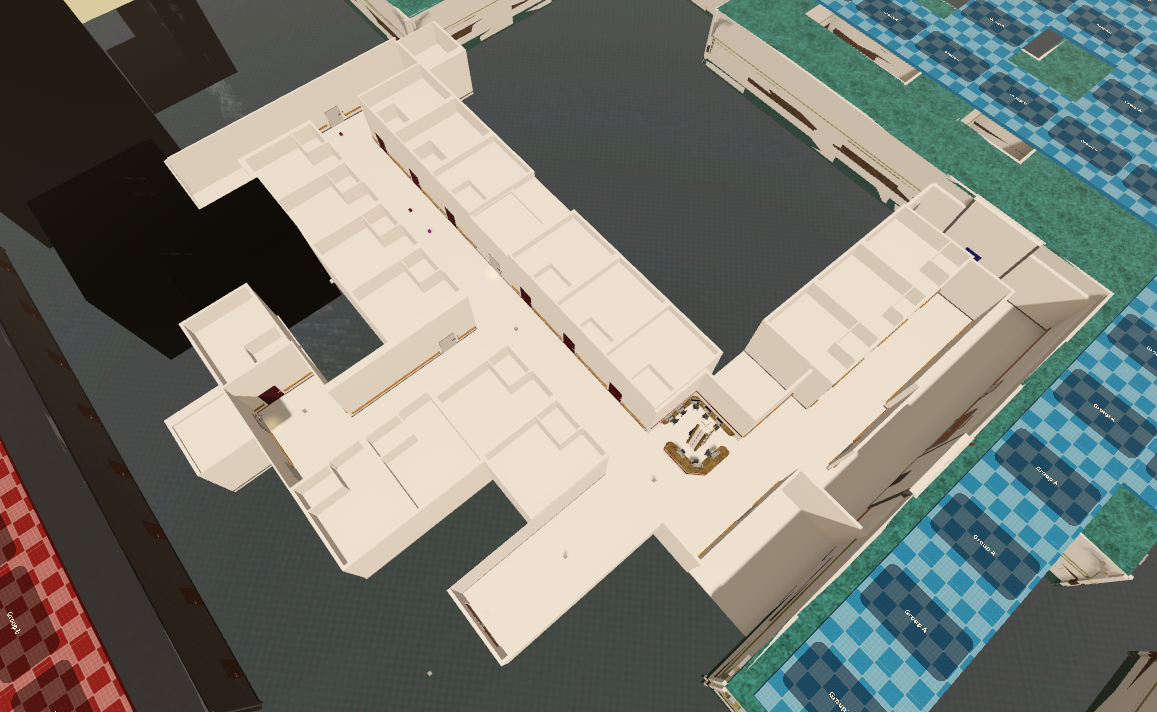
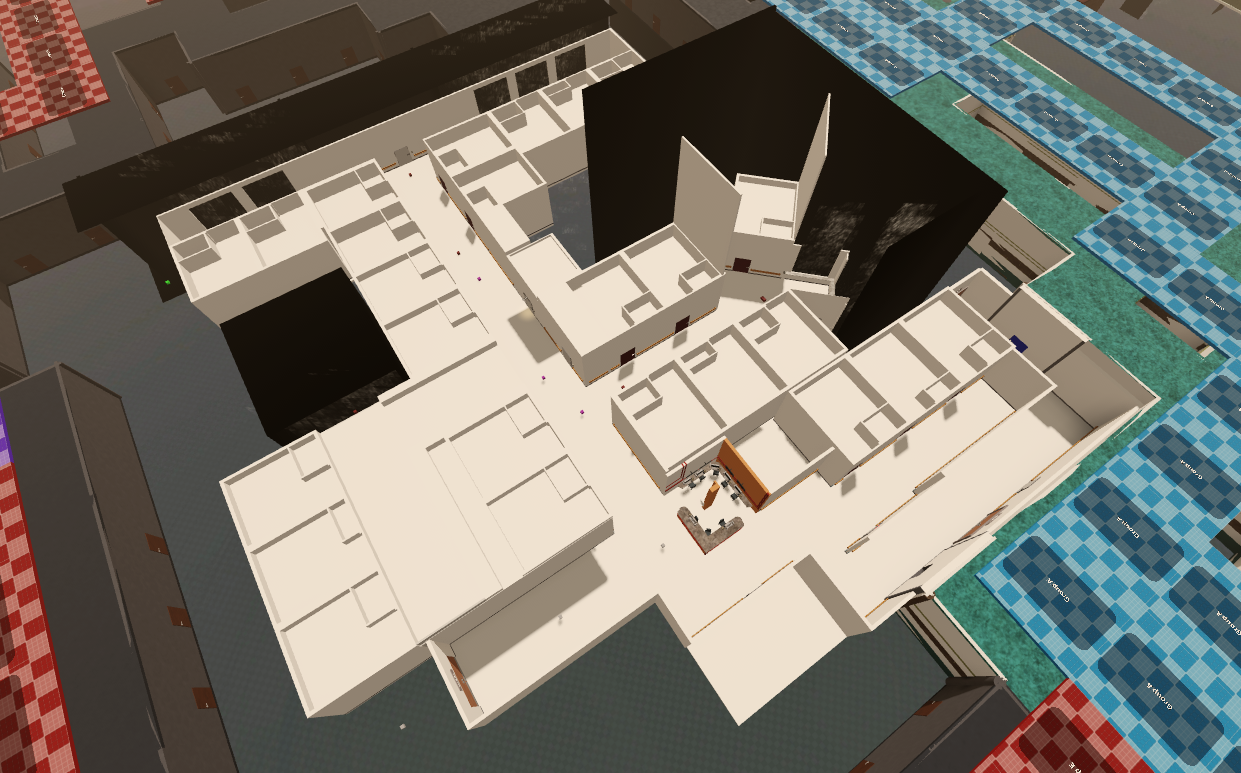
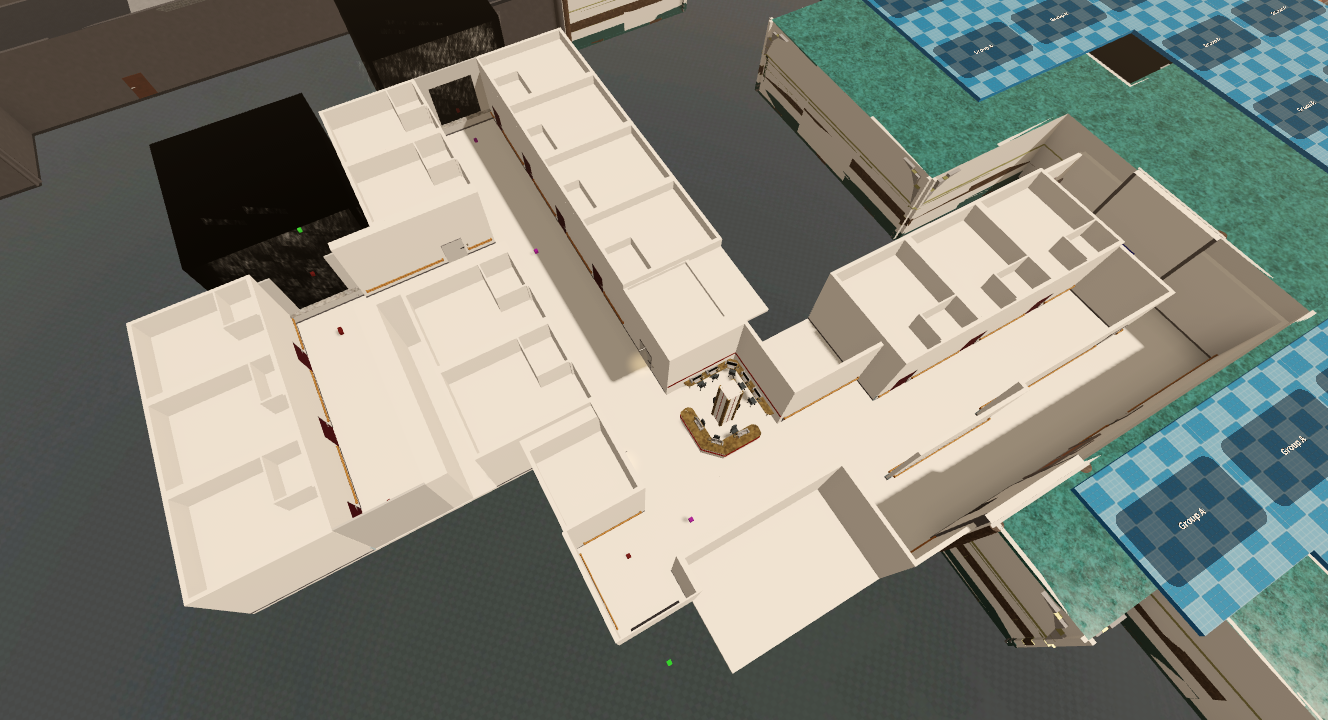
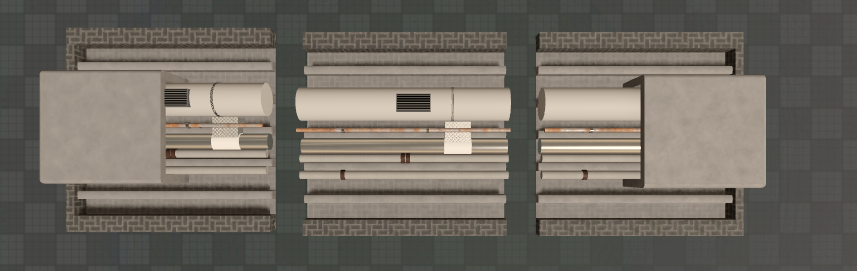
At runtime, several core rooms are selected to be placed into the world randomly, then several “shortcut” and “loot” rooms are randomly selected and placed around the world. Most rooms in the game feature at least some degree of procedural generation. Take the medfloor for example. This room has the player duck into rooms in order to dodge a wandering radiation monster. To make this interesting throughout multiple playthroughs, the layout of the room changes.
The core layout of the room consists of an L shape. On several sides of the L shape, one of 4 different layouts can generate. Within these layouts, random room designs generate. Notice the long L hallway is the same in all of the below pictures, but the surrounding designs change.
4. Navigation
Later playtests leading up to the launch of the game revealed another issue: being lost in the hallways is frustrating. The player needed some sort of indication if they were getting closer to their target room. This prompted the development of direction panels placed randomly throughout the world. When activated, an arrow illuminates on the panel pointing towards the correct direction, and a line temporarily appears on the floor to aid with navigation.
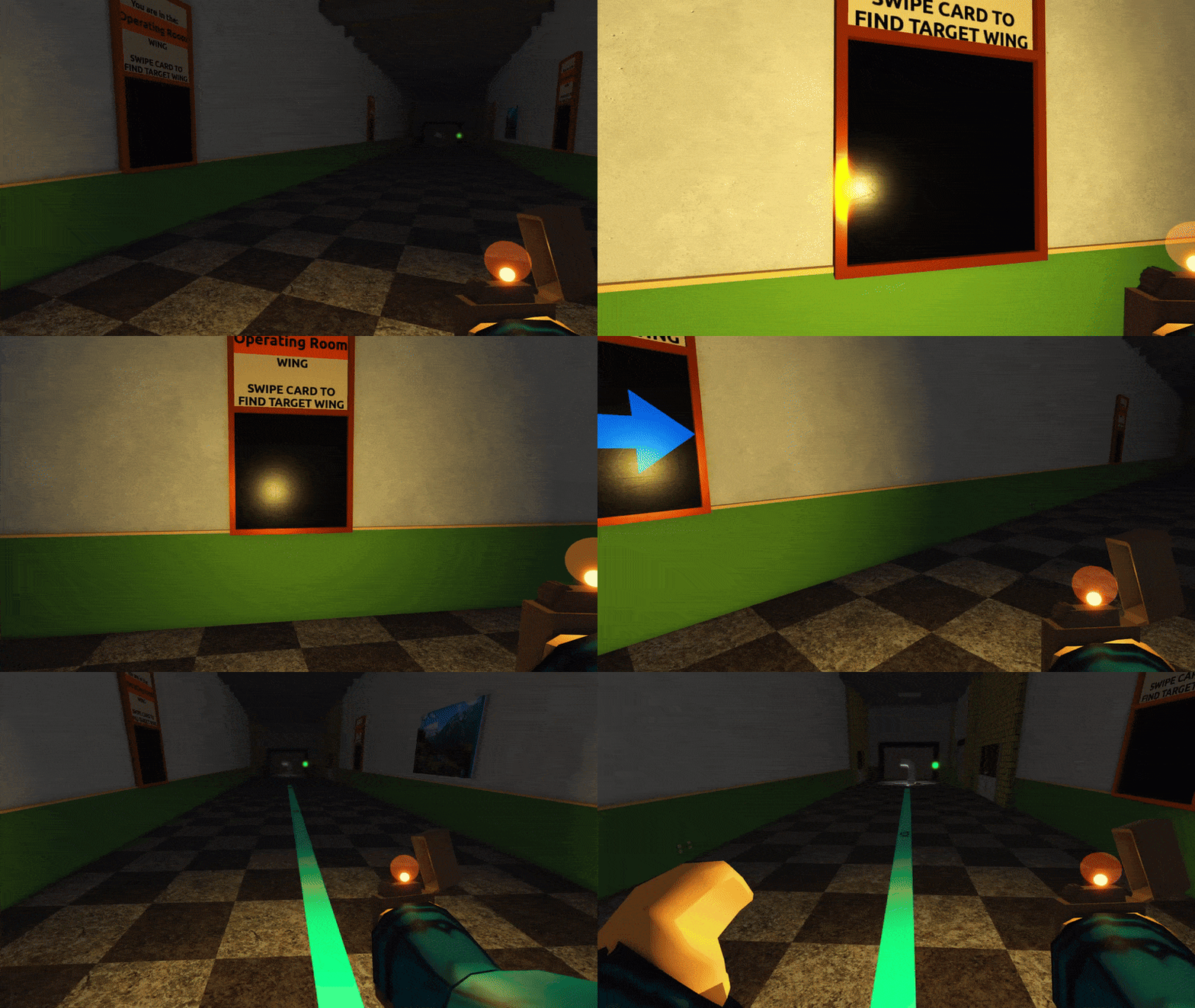
There is more to displaying the correct arrow on the panel than it may seem. Direction panels have a chance of generating on any of the existing walls of a hallway node (north, east, south, west). First, the node the panel exists in is mathematically calculated, then the node object is retrieved for use based off its coordinates. To find the correct direction, the A* system used in world generation is recycled to pathfind from the panel’s node to one of the destination room’s doorways. This path is then sent to the client to display the on-floor line. On the server the direction of the path is calculated by finding both the unit vector between the source node’s midpoint and the first node in the path’s midpoint (for direction), as well as the unit vector between the source node’s midpoint and the direction panel (the arrow will “face” a different direction depending on what wall it is on). Using these two vectors, the correct facing arrow can be selected and displayed as needed.
GUI & PLAYER SYSTEMS
CLIPBOARD
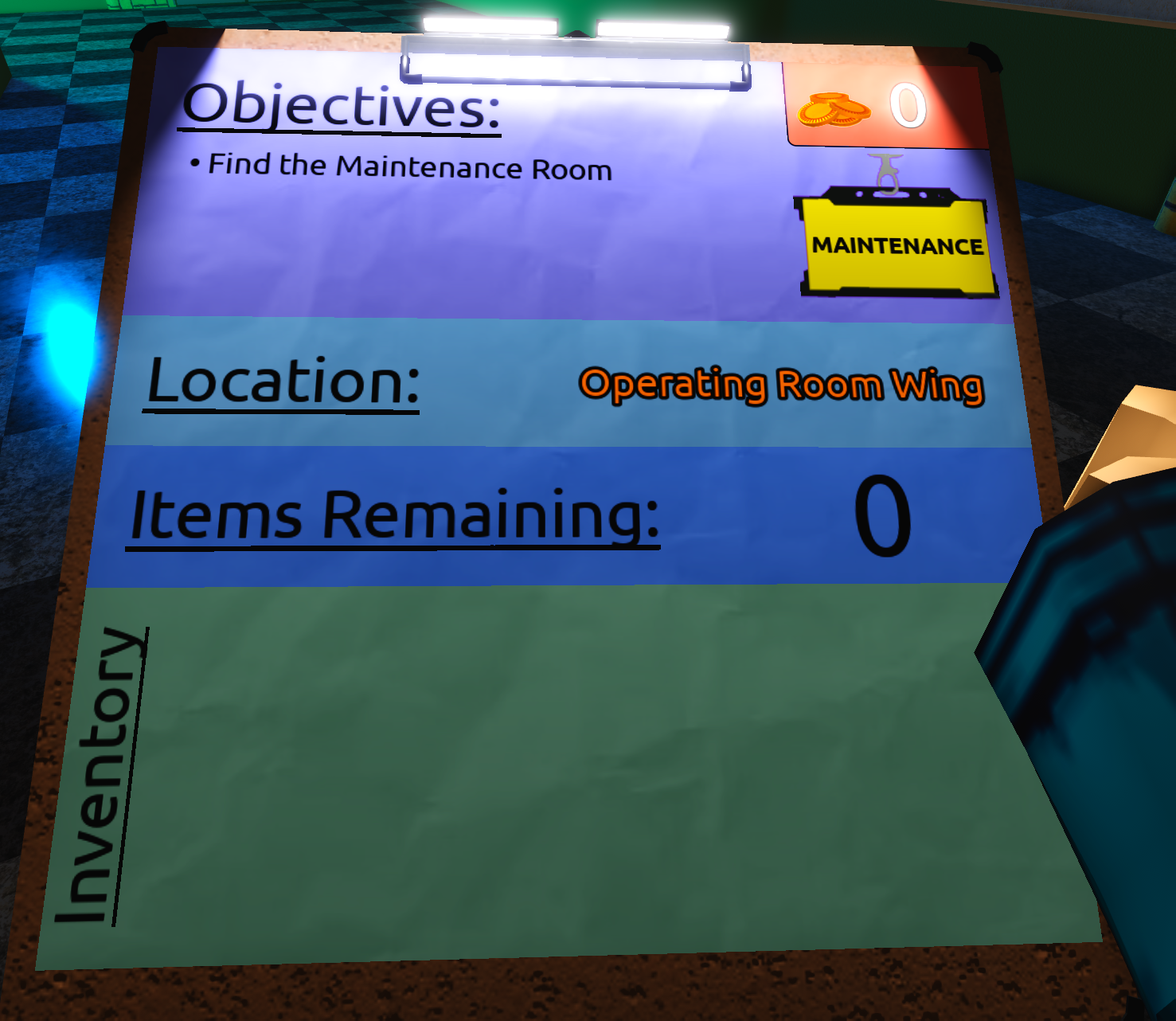
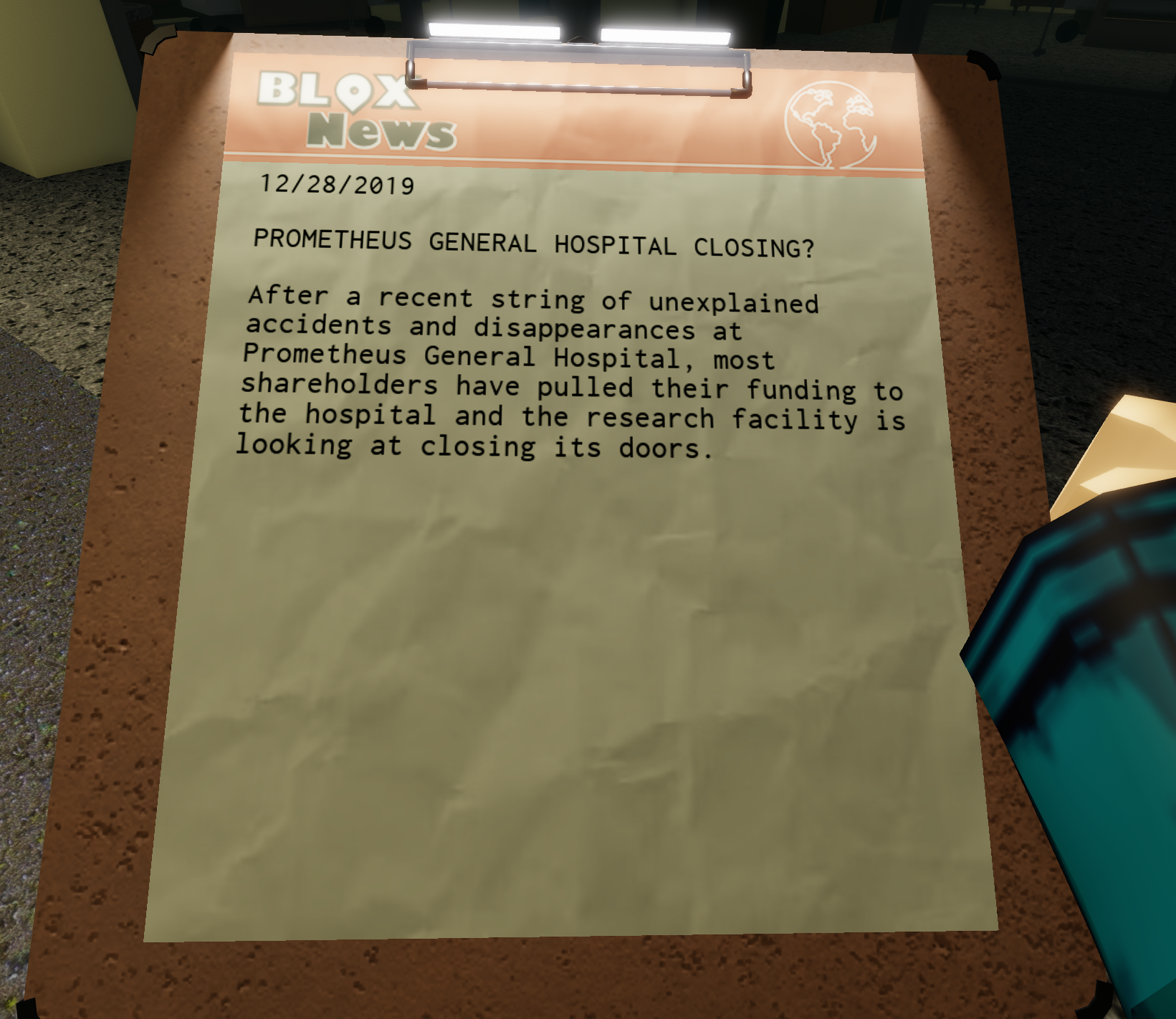
The player’s HUD went through many iterations throughout the course of the game. For most of development, objectives were permanently displayed in corner of the screen and other information was available through a gui shaped like a clipboard. This combined with dialogue, hotbar, and other visual elements made the screen feel very cluttered. To fix this and increase immersion, I moved many of these gui elements onto a physical clipboard that the player can equip at any time. The result is a clean feeling user interface, with the only permanent element being the player’s hotbar and some occasional elements appearing for dialogue and new objectives.
TOOLBAR, STAMINA, AND HEALTH
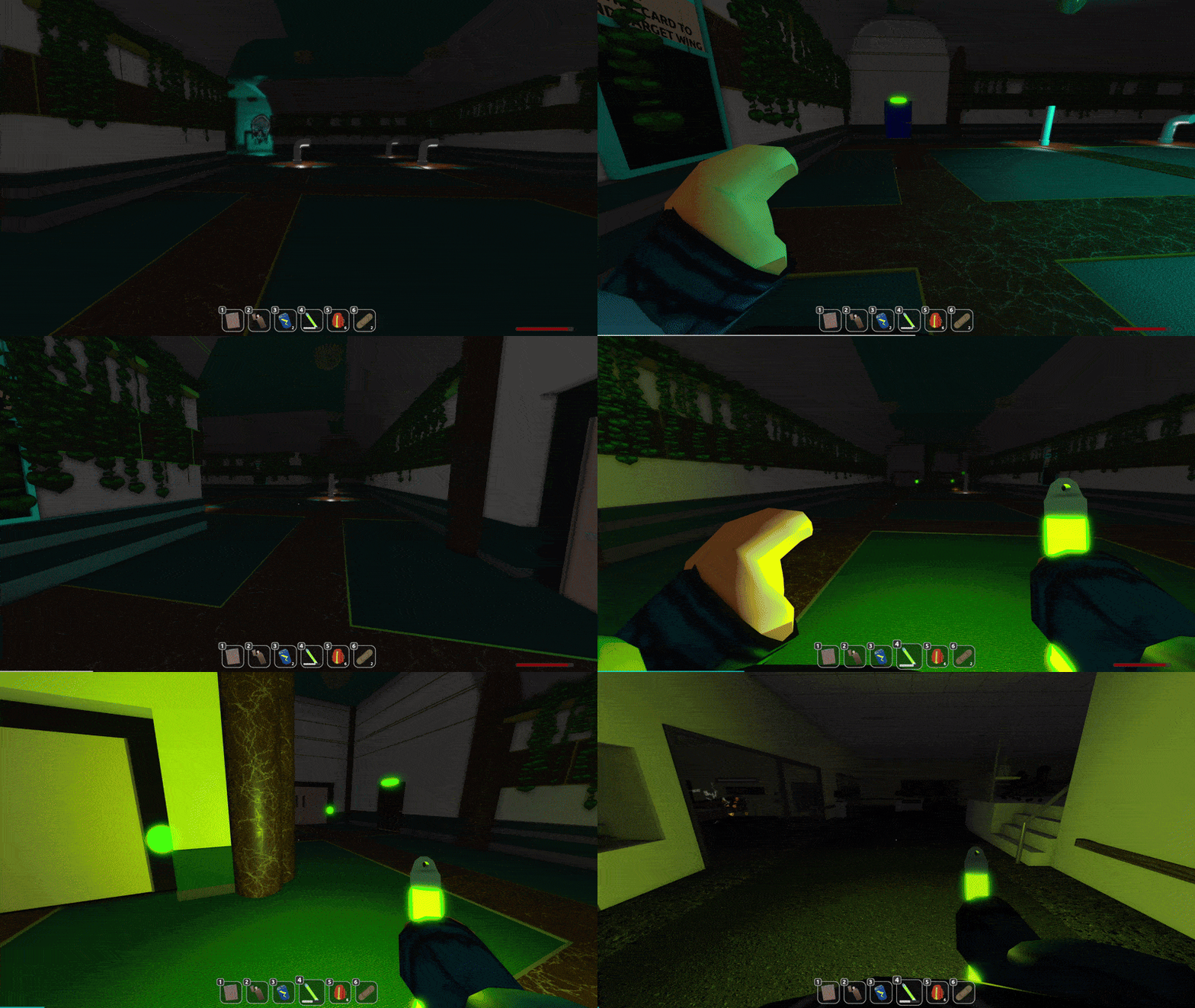
The toolbar, stamina indicator, and health bar are the gui elements which were not relocated to clipboard.
- The toolbar displays all active items the player has, along with their count or fuel level. It has full cross platform support, and adds additional gui icons for controller navigation when needed.
- The stamina indicator bar slides off the screen while the player is sprinting. If the player has full health, the bar disappears. For added tension, it slides off the screen using an exponential function - the stamina appears to degrade “slower” the closer the player is to running out.
- The health bar displays the percentage of health the player has remaining. If the player has full health, the bar disappears. The player may purchase permanent health upgrades in the shop to increase their max health. The health bar reflects this.
LOBBY
The lobby has 3 core gui systems: the shop, achievements, and settings.
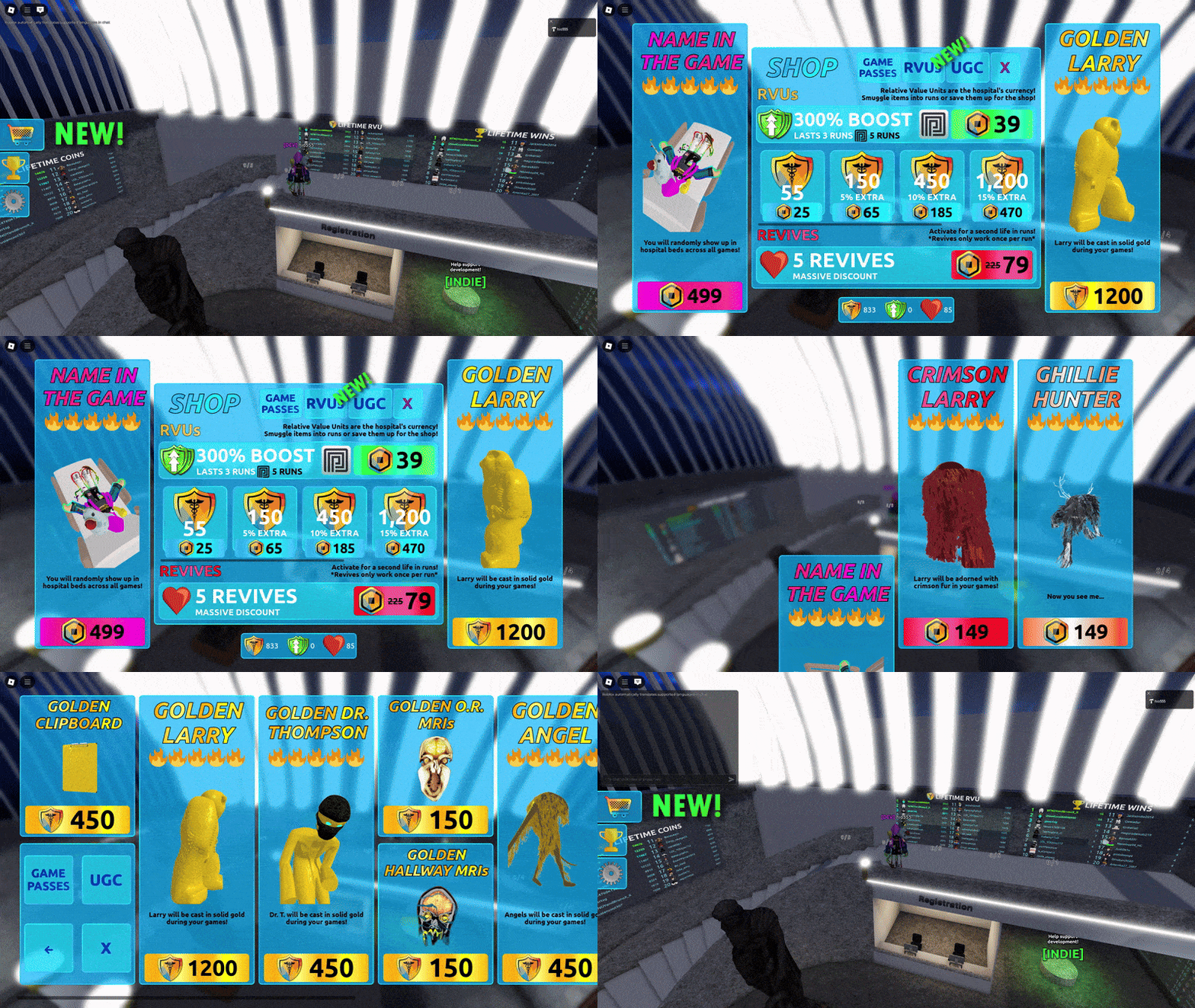
The shop gui displays all of the in-game purchases the player can make using both Robux (Roblox currency) and RVUs (Custom currency). The player can exchange Robux for RVUs in the shop, or earn RVUs by playing the game. The shop also displays examples of skins the player can purchase in viewport frames.
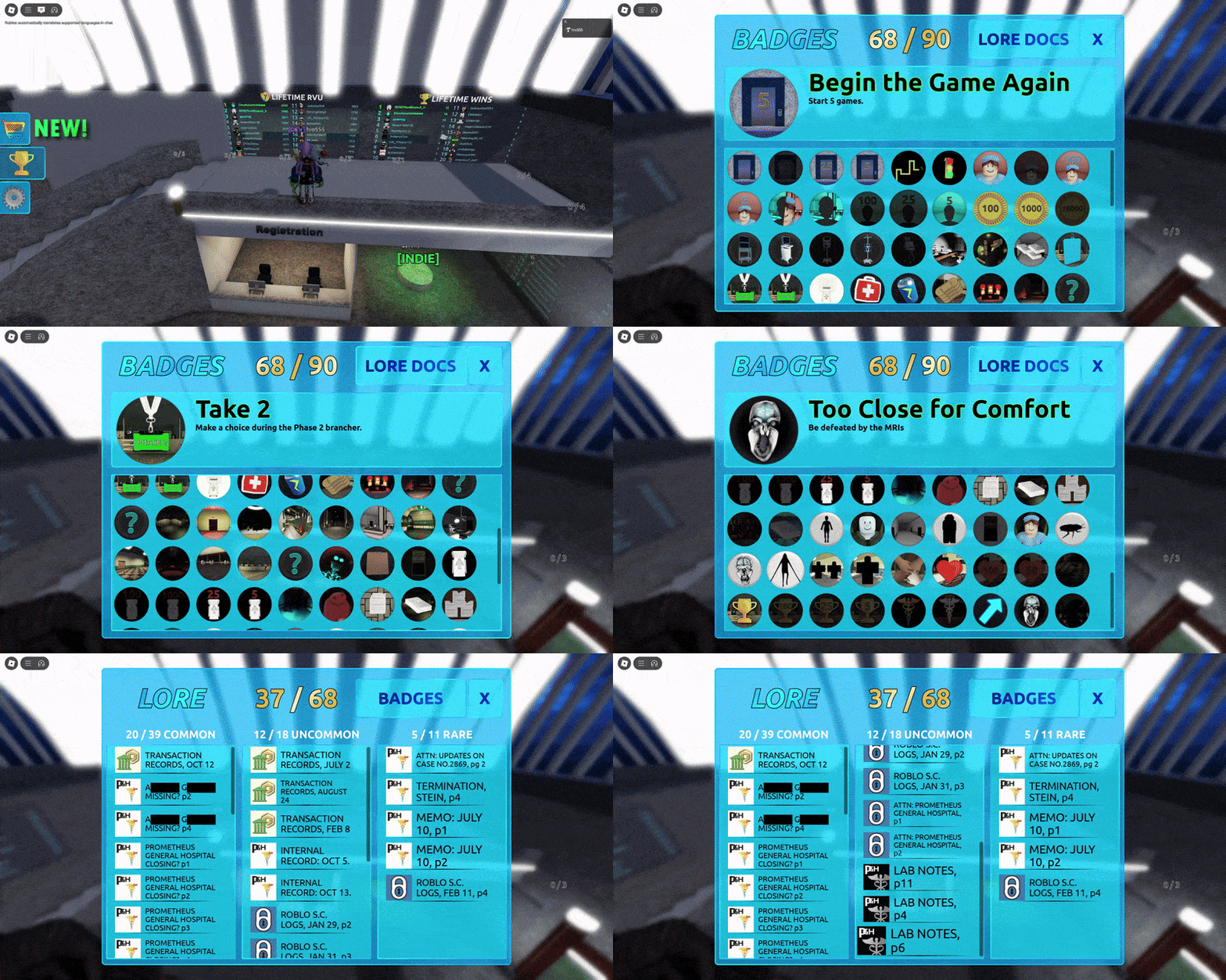
The achievements gui displays every badge that is available in the game and whether the player has unlocked each specific badge or not. Discovered lore docs are also viewable from this gui. They are sorted by rarity, and the player can click on a document to access it again.
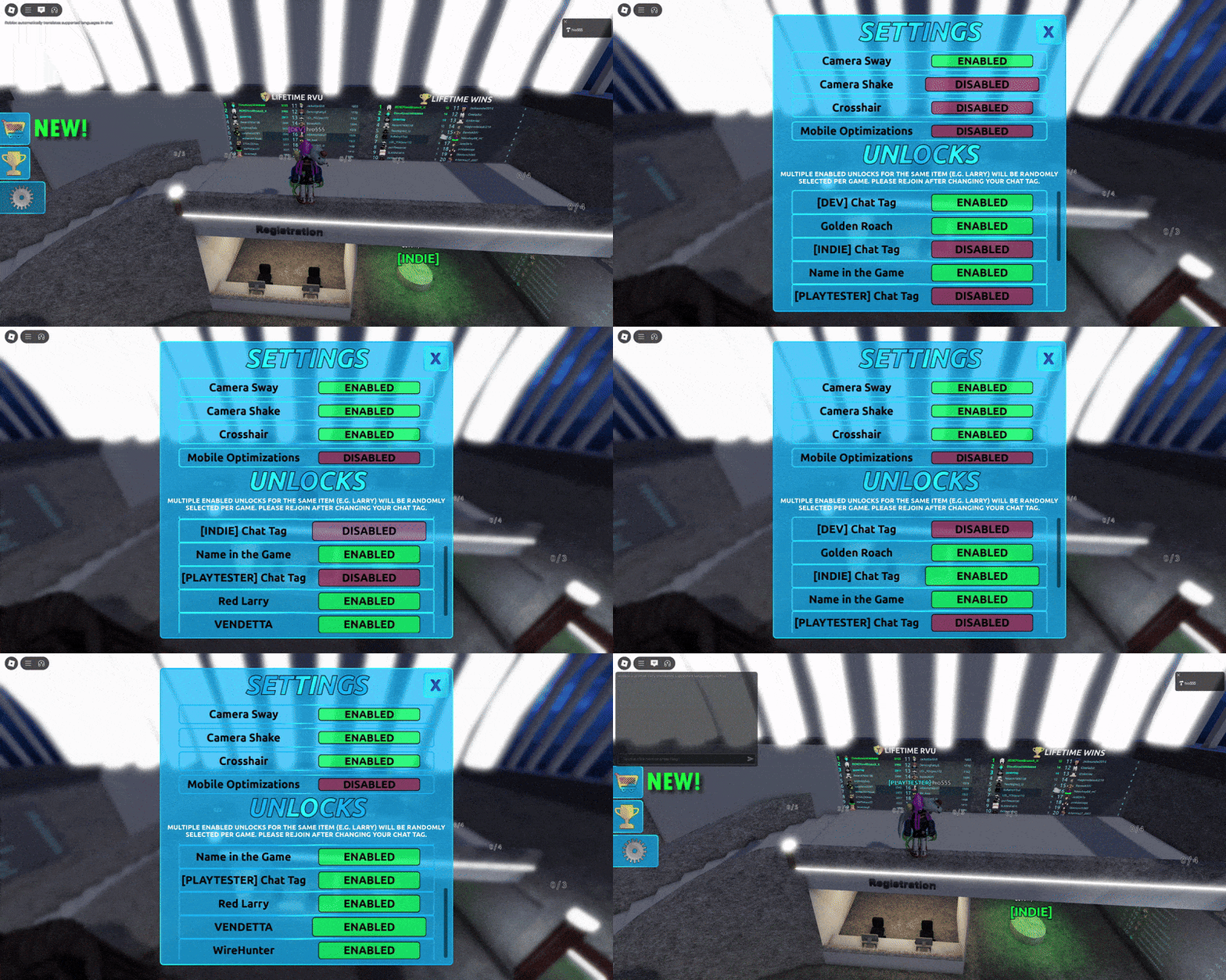
The settings gui allows the player to customize their experience. They can enable or disable certain features, choose special chat tags to display by their name, and choose monster skins. If multiple skins for the same monster are selected, one will be chosen at random during the game when the monster spawns in. Monster skins are shared between all players in a current session, meaning if one player has the Crimson Larry skin enabled, all other players will be able to see it.
CROSS PLATFORM SUPPORT
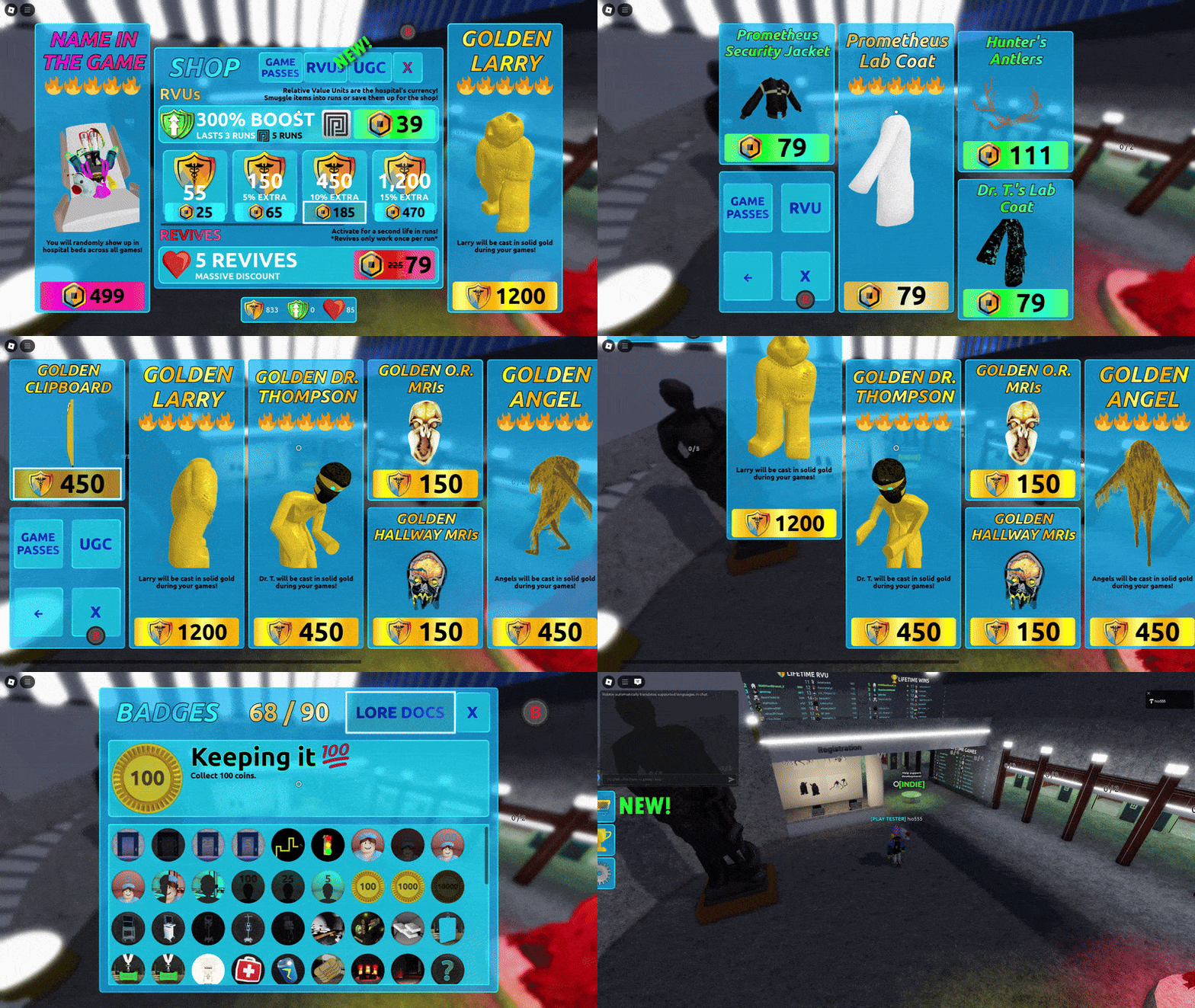
All gui elements were designed with cross platform support in mind. All gui buttons have their neighbors mapped to assist with controller navigation. When a controller is detected, button images will appear to help with navigation. The gui elements also work on touchscreen devices, as well as in VR.
Infrastructure
Open Source Libraries
Several open source libraries and plugins helped make MODERN MEDICINE possible:
One of the first challenges I encountered while developing MODERN MEDICINE was deciding how to organize the code. After researching possible frameworks, I decided on using Knit in order to simplify communication across the client-server boundary and to take advantage of its built in structure with services and controllers. I also use Rojo as part of my workflow in order to program in VSCode instead of the Roblox editor and to make version control with github easier.
I also took advantage of the RbxUtil library to further streamline development and prevent myself from reinventing the wheel. Out of the entire library, I found myslef using Components to streamline and organize tagged objects as well as Troves to clean any connections or other items after they are no longer needed. The RbxUtil libraary also provides the Signal data structure, which is a core part of Knit, to simplify handling RemoteEvents and RemoteFunctions.
ProfileService is also used for the backend (see the backend section).

Regions
The region system is a core part of the code base. It continuously calculates each player’s position within the node graph. If the player moves into a new node, an event is fired. It also keeps track of various statistics regarding each region, such as the number of players currently in the region. Some of the areas the system is used includes:
- Determining if client-side monster effects can play (e.g. Larry’s footsteps causing screen shake only in the hallways)
- Determining player position in the hallways for use in monster chase logic
- Communicating the player’s level location to the client (i.e. which hallway biome or room is the player in)
- Dialogue cues when a player enters a room
- Locking players into a room when they enter it
- Determining which sounds a player can hear
Advanced Linear Interpolation
The Roblox API provides an excellent base of tools, especially for lerping objects using their Tween library. However, this library is not without its limitations. Throughout the game, players will loot objects for various quests or to collect/purchase items while moving. With the Roblox Tween library, it is not possible to interpolate an object to a moving target. This means if a player picks up an object while running, the object will move to where the player was at the time the object was picked up, not where the player is when the interpolation finishes. To do this, I wrote a custom module accounts for the movement of the player after an object is picked up. This module also contains networking code which allows every player to perform this interpolation locally on the client, rather than on the server. This makes the interpolation appear smooth because it runs at the client’s frame rate rather than the reduced tick rate of the server.
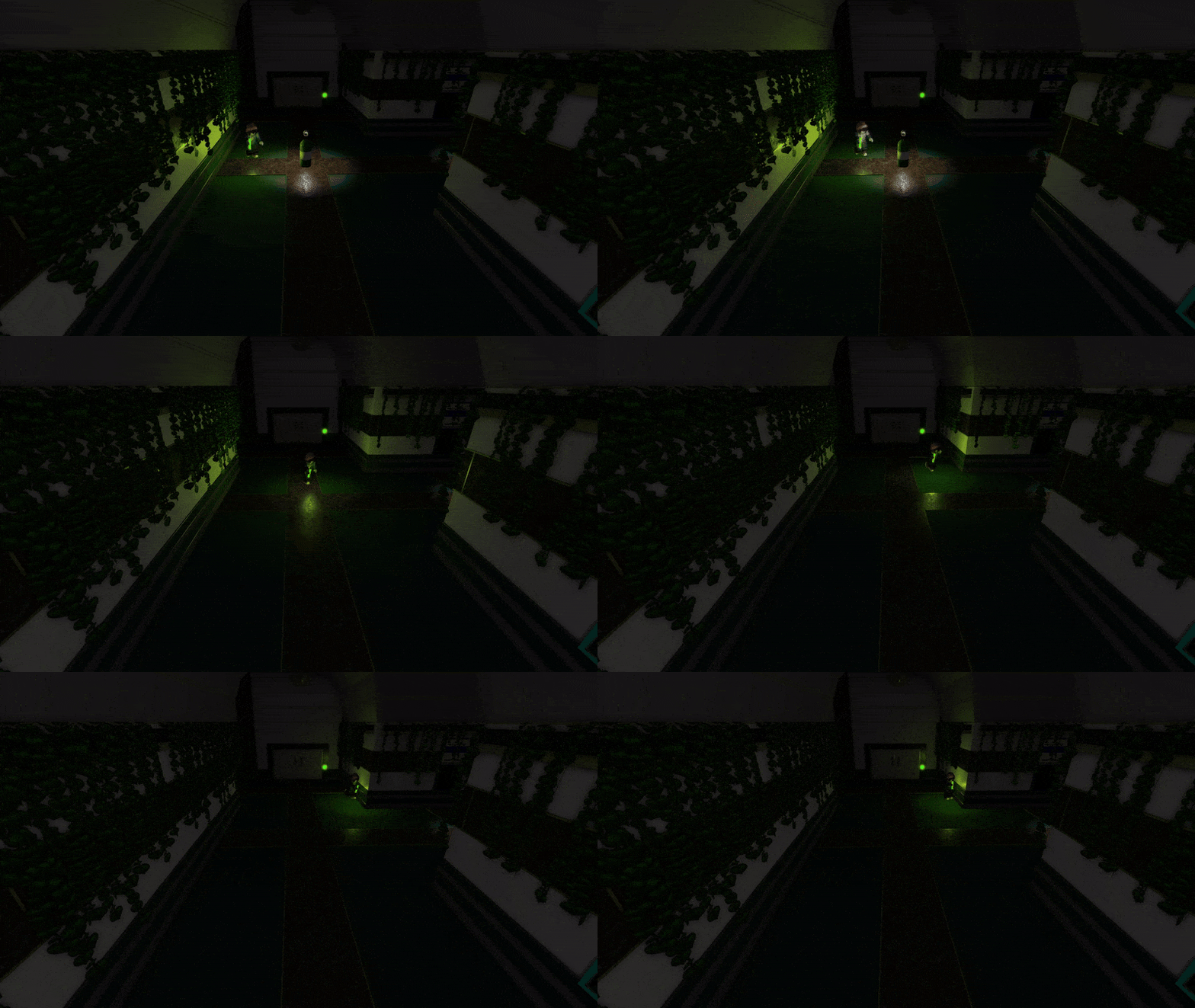
There are various other linear interpolation modules implemented into the game that would not be possible using the Tween library.
- Using distance instead of time to calculate the transparency of biome walls as Larry approaches them, preventing the monster from appearing to phase through the wall.
- Using distance to determine the frequency at which the biome doors themselves pulse (or if they should not pulse) when Larry approaches
Other Miscellaneous Tooling
Level Building
The core system used when populating the level with assets is the Ghost system. This system went through several interations in order to balance the technical complexity and ability with ease of use for the level designer. For a brief description, a ghost is a primitive object tagged as such that has a path attribute. The path attribute links to a folder which contains any number of potential assets to spawn at the ghost object’s location. For ease of development there is no strict format enforcement of the file structure. Folders can be nested anywhere, and when a floder is linked only model objects will be considered for spawning (allowing folders and models to exist within the same directory).
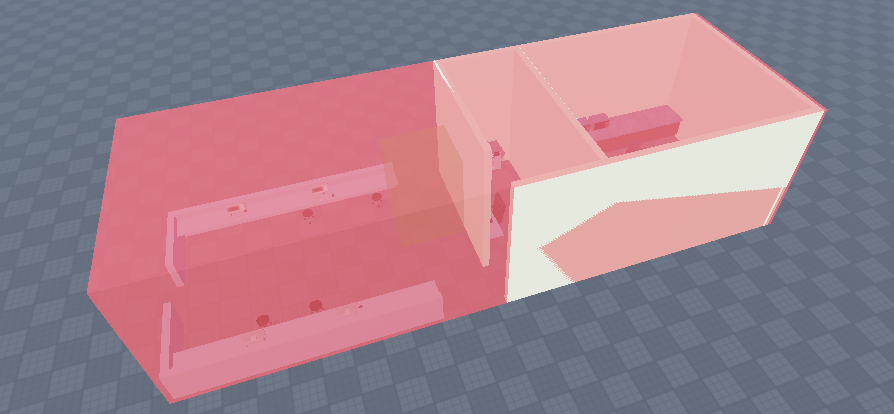
This system allows for individual asset spawning probability to be customized and more complicated “ghost structures” to be formed, such as generating the hallways or forming loot groups within the world. Ghosts can also be nested inside assets spawned by ghosts, allowing for extreme customization and differences between levels.
Individual rooms can also randomly select certain themes to randomly choose elements from while using the same ghost layout. For example, the level designer can create one office layout but have different groups of ghosts that represent different theming. This way, if the office is randomly chosen to be safari themed, the randomly selected assets will only be from the safari bucket.
Room Construction
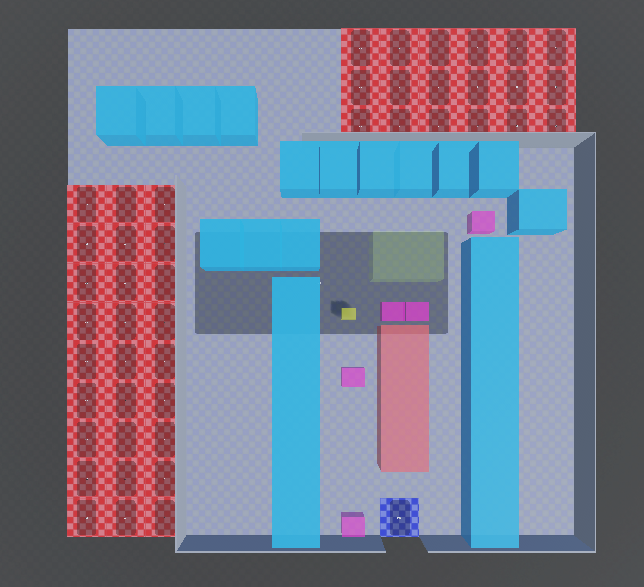
Rooms don’t have to be square. They can be any shape the level designer can imagine. However, to simplify room placement in the node graph, rooms are requiered to be built on a square surface whose width and height are divisible by the default node size (so it can be divided into nodes). To prevent a bunch of dead space in the node graph, the level designer can place “air tiles” on unused portions of the room’s square surface. This signals to the node graph at runtime that these nodes are unoccupied and may be populated with other specialty nodes such as hallways.
The level designer can also place multiple “door tiles” on the build. These tiles do not necessarily need to be on the perimiter of the square surface as long as there is a way for a hallway to reach it (using air tiles). These door tiles will spawn a door to the room and guarantee that a hallway spawns on the node bordering it.
Hallway Construction
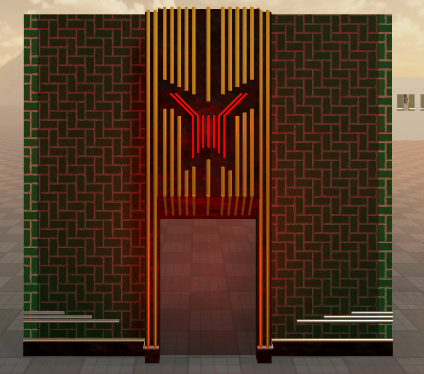
Hallways are constructed by populating a ghost node with assets from the relevant biome. All hallways need walls, doorways, biome doorways (double doors), ceilings, and floors. Additionaly, they may have ceiling props, wall props, and straightaways. Each category can have multiple possible assets to spawn and each asset can optionally have its own unique spawning probability. At runtime, the node graph is used to calculate which sides of the node walls, doorways, etc. need to spawn in.
Generic Doors
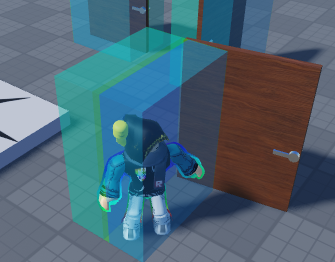
There are a lot of rooms in MODERN MEDICINE. Beacuse doors require some scripting overhead, I created this system for the level designer to be able to easily and quickly create new door designs and sizes without any programming overhead. These generic door objects will open when a player stands close to them, and close when they have left the vicinity. All the level designer has to do to create a new door is group assets together and name the “door part” of the door as “Door”. At runtime, the program will calculate the door hinge and hitboxes and begin listening for player interaction.
Sliding Doors
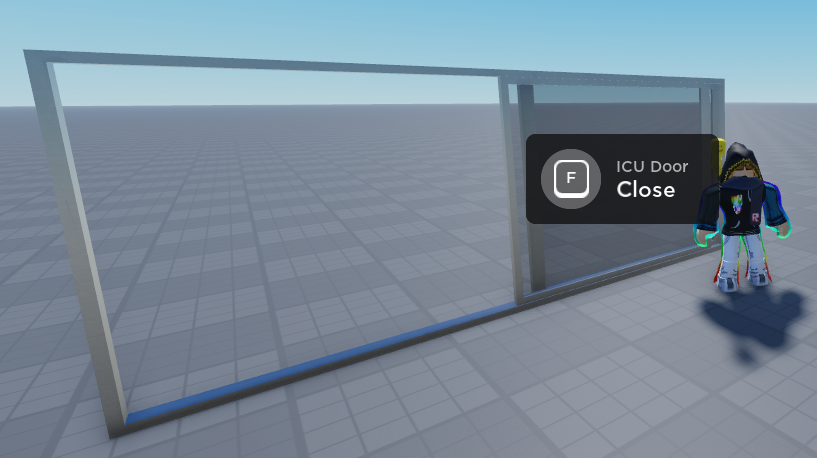
Similar to generic doors, sliding doors are also streamlined for the level designer. They contain a “Door” object which is the primary object in the door, as well as two distinct sets of parts: “MovingParts” and “StaticParts”. At runtime, the door is primed and a prompt is proximity prompt is placed into it. When the prompt is activated, the sliding door slides its body length to the right in order to open.
Sound Effect Parts
Quality atmospheric sound design was one of my key ambitions for this project. To assist with this goal, I created sound effect parts and their supporting infrastructure. Sound effect parts are components which will play a specific sound, and also contain metadata about how the sound should play. Some of this metadata include:
- Sound Location (i.e. can be thound be heard in the hallways or just a specific room)
- Playback range
- Sound table information (are we pulling a random sound out of a group? e.g. one of several thunder sounds) or sound name
- Playback information (should we loop the sound, should we randomly select a sound from a sound table and loop it, should we play every sound in a sound table back to back, etc…)
To minimize the amount of objects that needed to be transferred between world files during development, all sound data is serialized in a master sound file.
Light Flickering
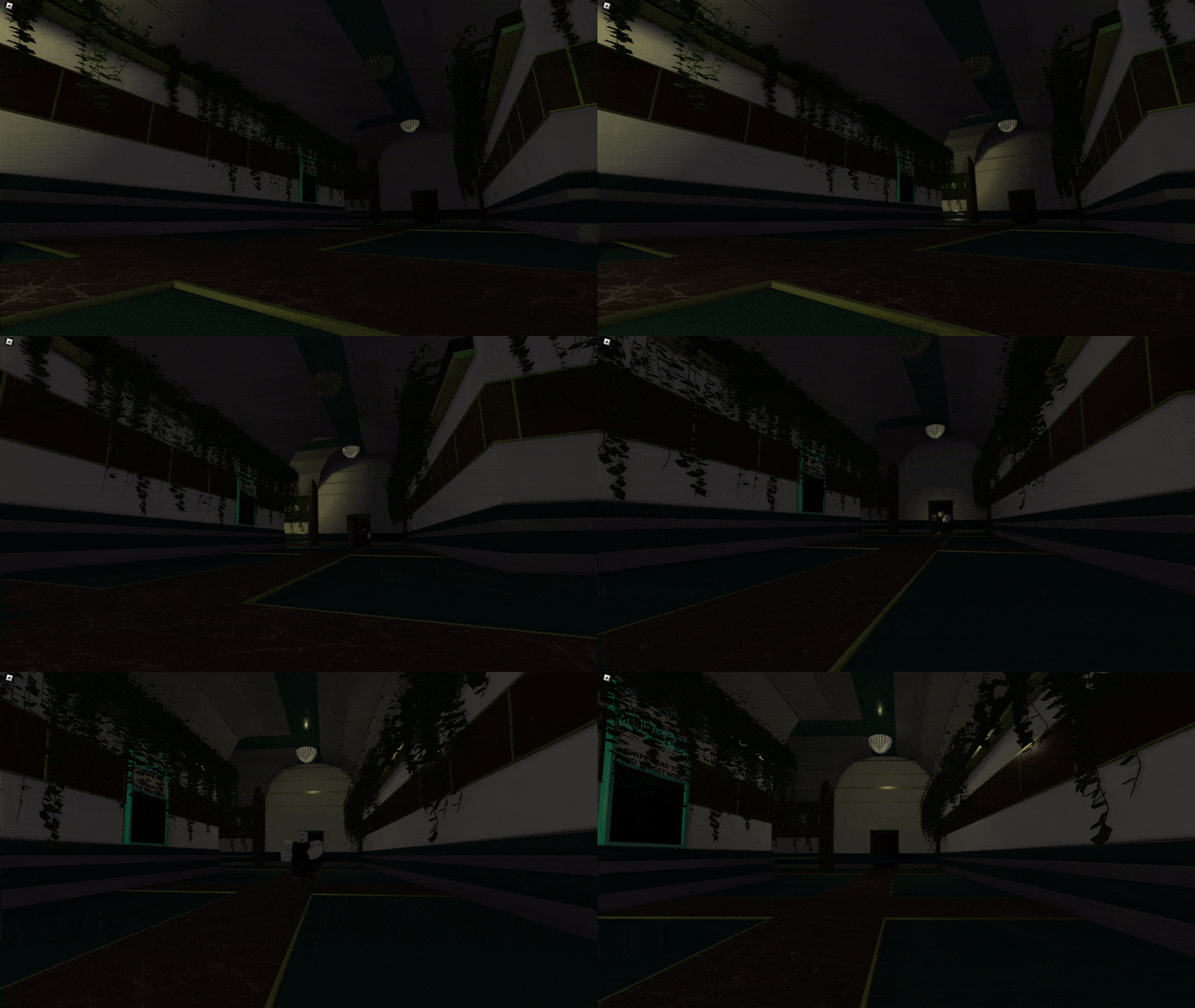
Light flickering is implemented similarly to how it was in Quake (and still implemented in modern games like Half Life: Alyx). Light patterns are stored as a string of characters ranging from a-z. When enabled, the program reads one character individually and adjusts the light’s brightness to the brightness represented by that character. Then after a small delay, it does the same with the next character. When it runs out of characters, it starts over at the beginning. An additional modification I made to this idea is adding upper case characters to the character strings that represent certain sounds, e.g. a “light popping” sound.
Backend
The core of the backend system uses ProfileService which is an extension module for DataStores. ProfileService is a is a profile object abstraction seperated from the Player instance which streamlines datastore implementation and handles lots of edge cases such as providing protection against item duplication exploits.
Monetization and Transaction Workflows
There are two types of transactions the player can make: Robux transactions and RVU transactions. RVUs (Relative Value Units) are the in-game premium currency.
Developer Products
- The client uses a remote event to request developer product purchase
- The server recieves event and fires
MarketplaceService:PromptProductPurchasewith the player and product id - The player purchases the product using the Roblox GUI
- If the transaction is successful, the
MarketplaceService.ProcessReceiptcallback is triggered- If verification fails,
Enum.ProductPurchaseDecision.NotProcessedYetis returned
- If verification fails,
- The server retrieves and verifies player’s data profile from ProfileService
- If there is an error verifying the player profile,
Enum.ProductPurchaseDecision.NotProcessedYetis returned
- If there is an error verifying the player profile,
- The player’s data profile’s metadata is reviewed and written to ensuring the developer product is not being granted multiple times for the same transaction
- If an error or abnormality is detected,
Enum.ProductPurchaseDecision.NotProcessedYetis returned.
- If an error or abnormality is detected,
- The product id is processed and the product is added to the player’s account
- A remote event is fired informing the client that the purchase was a success
Enum.ProductPurchaseDecision.PurchaseGrantedis returned
Notes:
- If
Enum.ProductPurchaseDecision.NotProcessedYetis fired,MarketplaceServicewill perform the transaction again if the user makes another purchase or rejoins the server.

Custom Currency (RVU) Products
A similar workflow is used for RVU purchases, but it does not go through the MarketplaceService due to the currency being proprietary. If a player does not have enough RVU to complete the transaction, they are prompted to purchase more.

Gamepasses
Gamepass purchases rely almost entirely on the Roblox backend, which prevents players from purchasing the same gamepass multiple times. When joining the game, players are sent to a lobby. When they are ready to play the game, players hop in an elevator which moves them to a private server and sets up the match. Gamepasses only purchasesable in the lobby or on the Roblox website and only affect the match servers, therefore there is no need to detect gamepass purchases in real time.
MarketplaceService.PromptGamePassPurchaseFinished could detect real time purchases in game servers, but the player’s gamepasses would still need to be detected when the player loads into the server to account for purchases on the website. So to avoid redundancy, MarketplaceService.PromptGamePassPurchaseFinished is not used and any new gamepasses are detected when players first load into a server and are recorded on the player data profile. These gamepasses are then applied accordingly.
Player Statistics
By using ProfileService, tracking specific player stats is streamlined. The module allows for the tracking of any player-specific statistic that seems interesting, such as deaths to specific monsters, games played, currency collected, etc. Statistic tracking runs through the custom PlayerDataService module, and any corner of the code base that wishes to record data runs through it.
Global Statistics
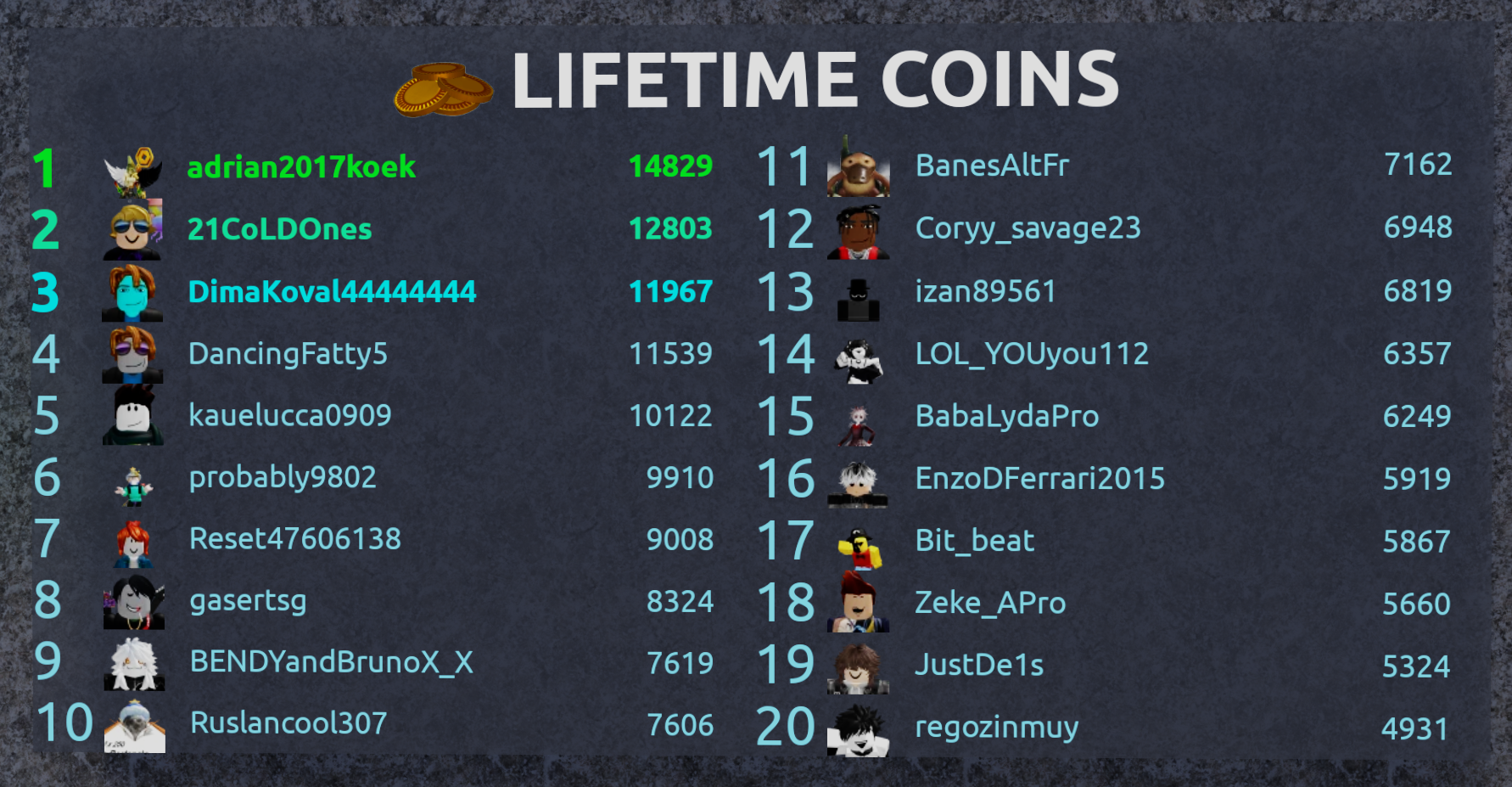
Global statistics rely solely on Roblox’s DataStoreService rather than running through PlayerService. For leaderboard tracking, ordered data stores are used and are shared throughout all servers. These sort user ids in descending order based on the statistic being tracked. When read from, only the top page in the data store is retrieved. For data stores that don’t need sorting (such as name in the game), only user ids are stored.
There are several globally tracked items:
- Name in the Game Gamepass Purchases
- When purchased, the player’s avatar will begin to spawn in hospital beds around the level. This occurs in all games, not just games the specific player is in making it possible for anyone who loads into the game to see the player’s avatar.
- Lifetime RVU
- This includes RVU earned by playing matches as well as RVU purchased
- Lifetime Wins
- Recorded when a player beats the game
- Lifetime Games
- This is recorded every time a player starts a match
Analytics
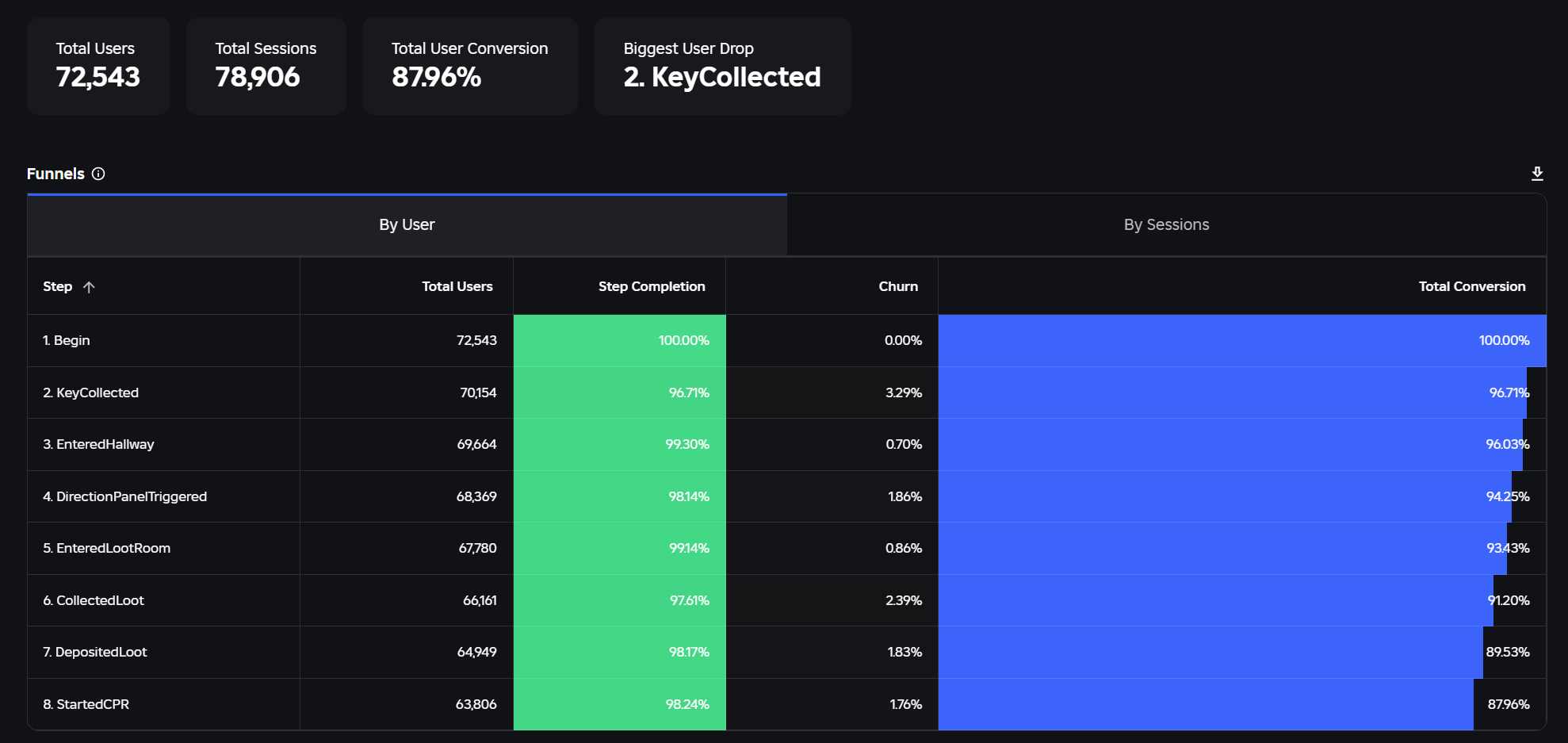
MODERN MEDICINE’s post launch development relies heavily on use of Roblox’s AnalyticsService to determine player retention and drop off rates through funnels and other analyitics. Throughout the game state logic there are dozens of analytics hooks tracking player progression, monster damage, shop purchases (not with premium currency). Using the data accumulated from thousands of playthroughs on the live servers we are able to pinpoint weak aspects of our game and target them for improvement. Using analytics we were able to improve the tutorial conversion rate to over 87% only a few weeks after launch.